
FiturFeatures
Beberapa router, satu halamanSeveral routers, one page
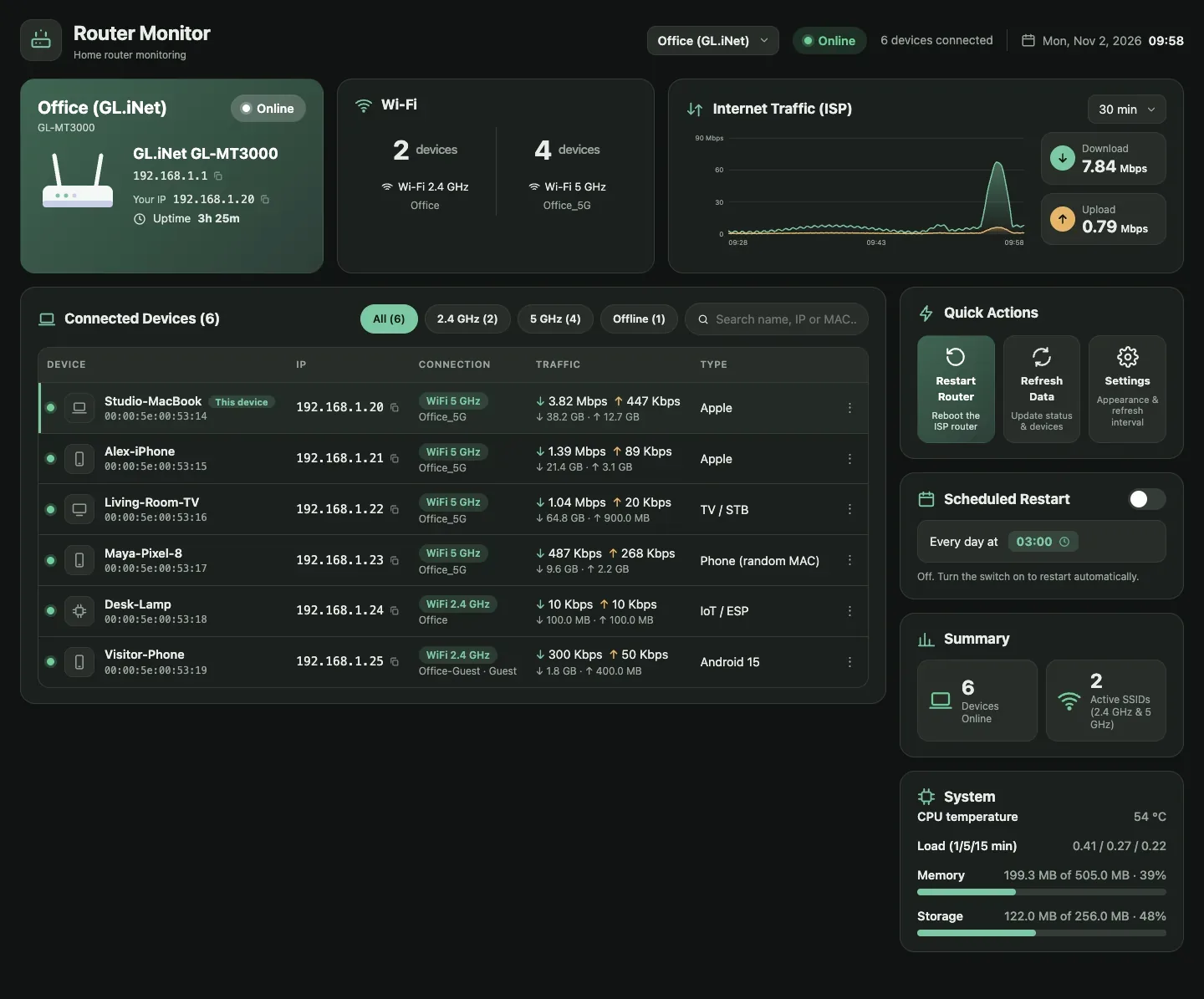
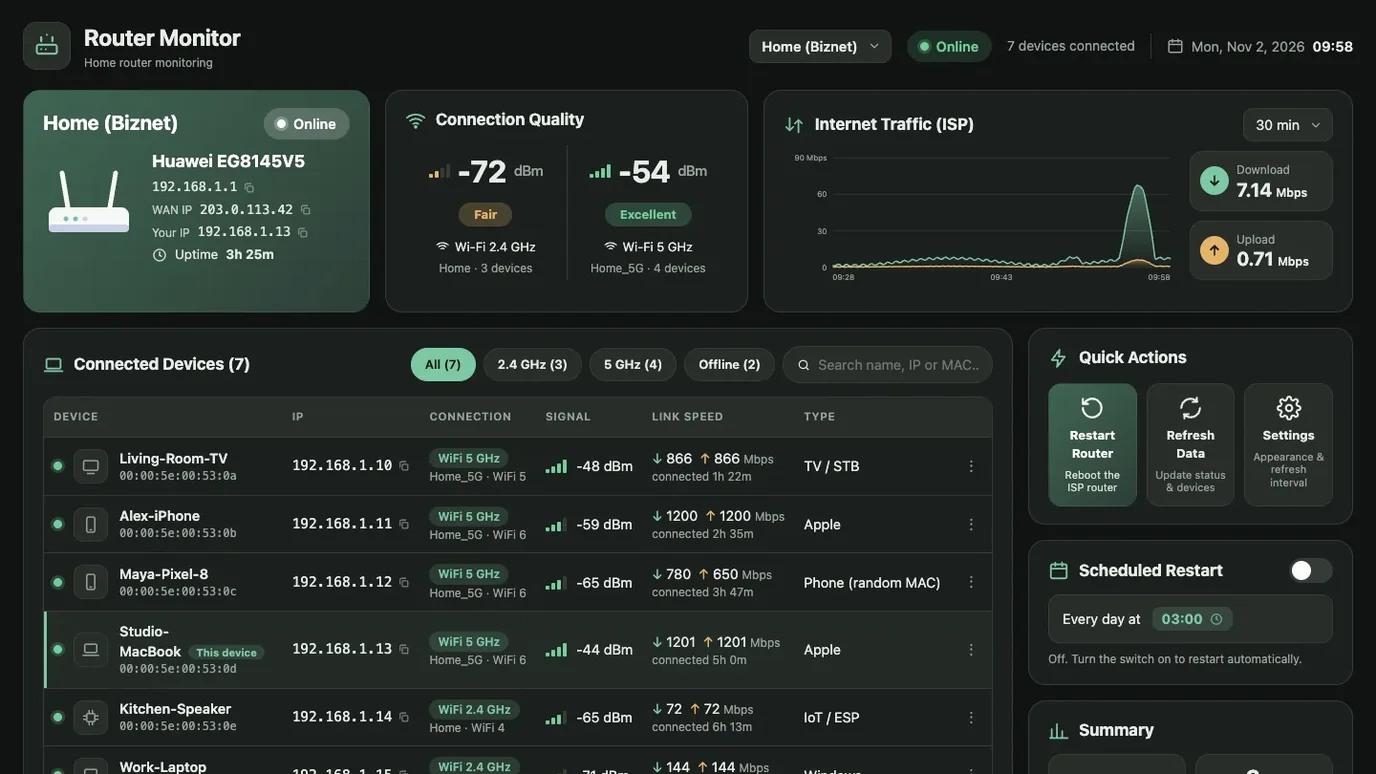
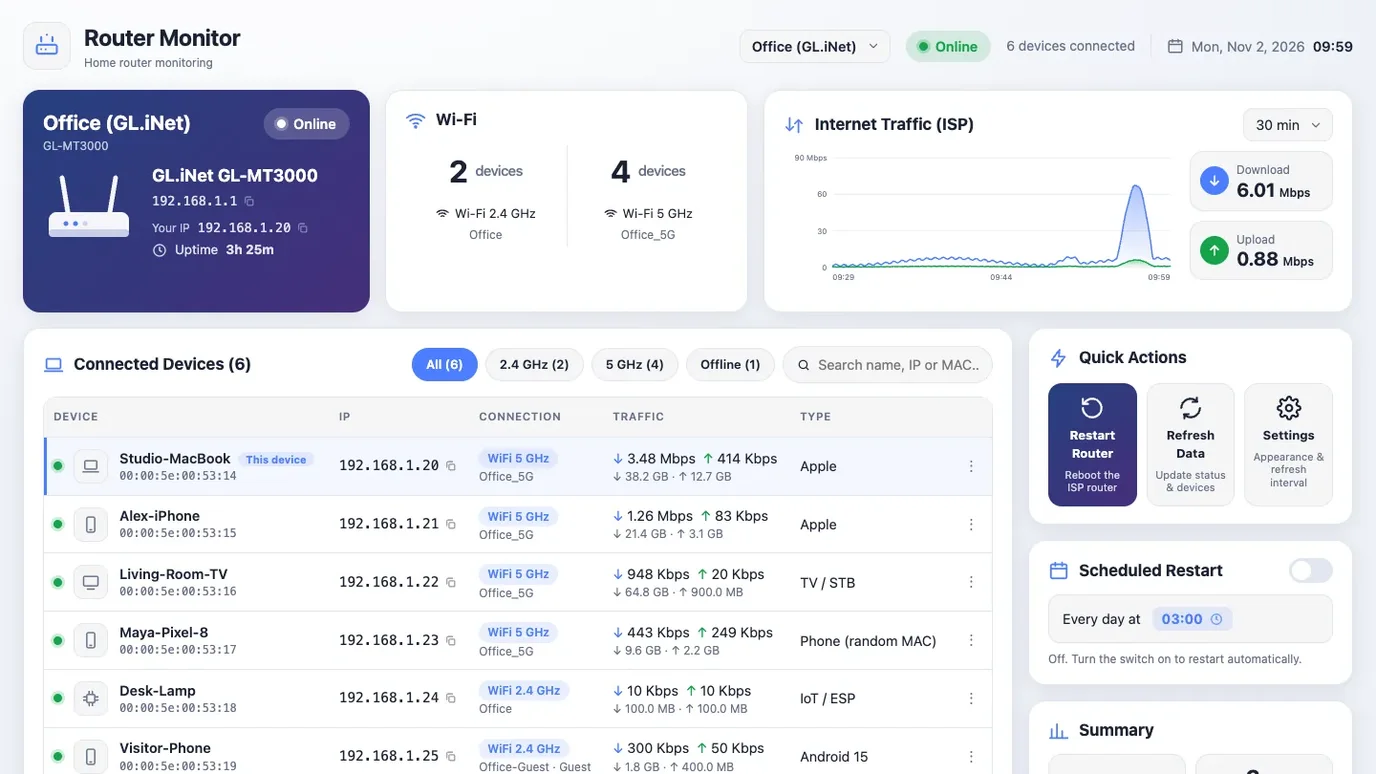
Simpan satu profil per router (misalnya ONT Biznet di rumah dan GL.iNet di kantor) dan pindah lewat pemilih di header. Riwayat dan jadwal restart terpisah per profil.Save one profile per router (say a Biznet ONT at home and a GL.iNet at the office) and switch from the header. Each profile keeps its own history and restart schedule.
Perangkat & trafikDevices & traffic
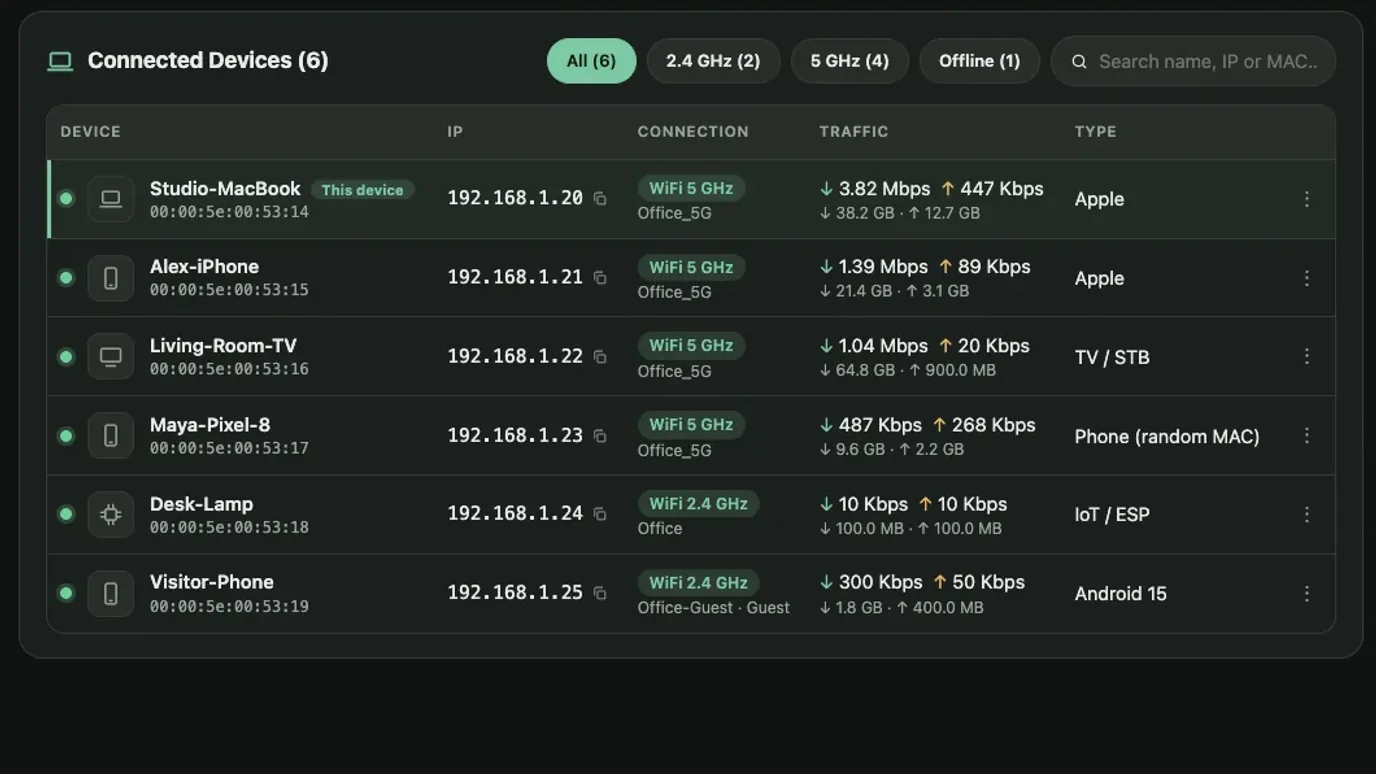
Nama, IP, MAC, perkiraan vendor, band dan SSID, sinyal Wi-Fi, dan trafik per perangkat bila router melaporkannya, plus grafik unduh/unggah 5 sampai 60 menit.Name, IP, MAC, vendor guess, band and SSID, Wi-Fi signal and per-device traffic where the router reports it, plus download/upload graphs for the last 5 to 60 minutes.
Kondisi router & restartRouter health & restart
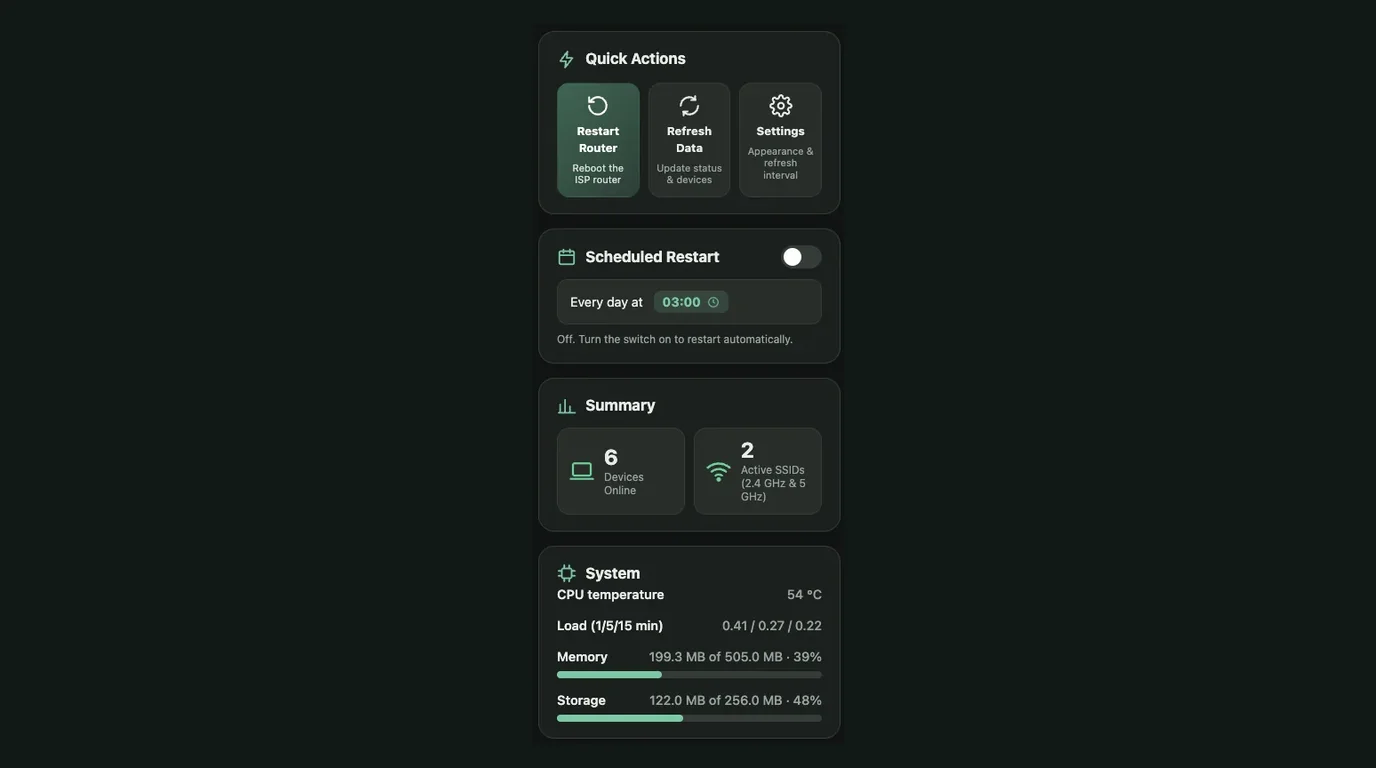
Suhu CPU, beban, memori, dan penyimpanan (bila tersedia), tombol restart, dan restart terjadwal per router.CPU temperature, load, memory and storage (where exposed), a restart button and a scheduled restart per router.
Tema & bahasaThemes & languages
5 tema gelap dan 6 tema terang, bahasa Inggris dan Indonesia. Coba tanpa router lewat router-monitoring -demo.5 dark and 6 light themes in English and Indonesian. Try it without a router with router-monitoring -demo.
Cara memasangHow to install
Unduh arsip untuk sistemmu dari halaman rilis GitHub (macOS, Linux, atau Windows), ekstrak, lalu jalankan binary-nya dan buka http://127.0.0.1:8787. Biner belum ditandatangani: di macOS hapus flag karantina sekali dengan xattr -d com.apple.quarantine ./router-monitoring, dan di Windows pilih Info lebih lanjut → Tetap jalankan. Mendukung ONT Biznet / Huawei EG8145V5 dan GL.iNet (firmware 4.x).
Download the archive for your system from the GitHub releases page (macOS, Linux or Windows), unpack it, run the binary and open http://127.0.0.1:8787. The binaries are not code-signed: on macOS remove the quarantine flag once with xattr -d com.apple.quarantine ./router-monitoring, and on Windows choose More info → Run anyway. Supports the Biznet / Huawei EG8145V5 ONT and GL.iNet (firmware 4.x).
PrivasiPrivacy
Berjalan di komputermu dan hanya berbicara dengan router yang kamu daftarkan. Tidak ada akun atau telemetri. Kata sandi router disimpan sebagai teks biasa di profiles.json yang hanya bisa dibaca olehmu, jangan buka port-nya ke internet.
It runs on your computer and only talks to the routers you add. There is no account or telemetry. Router passwords are stored as plain text in profiles.json, readable only by you, so do not expose the port to the internet.
Proyek tidak resmi, tidak berafiliasi dengan Biznet, Huawei, atau GL.iNet. Restart router memutus internet beberapa menit; pakai dengan risiko sendiri.
An unofficial project, not affiliated with Biznet, Huawei or GL.iNet. A router restart cuts the internet for a few minutes; use at your own risk.